
KINETIC TYPOGRAPHY GUIDE · 2026
Kinetic typography: make the words carry the motion
Kinetic typography is animated text used to shape the pace and emphasis of a message. This site's Kinetic Type template turns a short script into bold, timed scenes with large uppercase headings, supporting copy and a restrained accent. It gives you an editable starting point for text-led videos, with browser preview and local MP4 rendering.
The most useful question is what the viewer should remember after one watch. A compact headline can make an idea legible quickly, but movement cannot rescue an unclear sentence. Start with the words, decide which phrase needs emphasis, and use the template to support that hierarchy. The style is particularly useful when there is no footage to explain the idea and the wording itself matters.
What this kinetic type template actually does
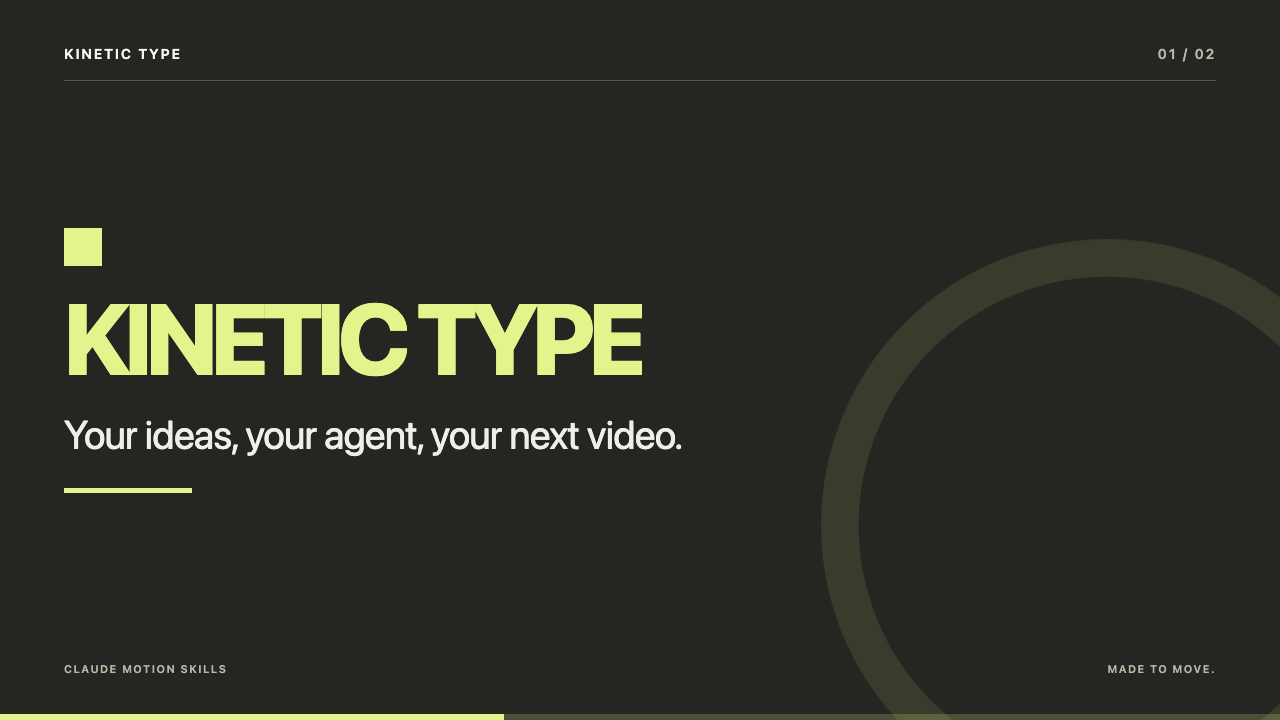
The original composition uses a charcoal background, lime headline accents and light supporting text. A small geometric marker and the bottom progress treatment give the frame structure. Each scene has a title, body and duration, so you can adjust what appears and how long it remains. The source is editable HTML generated from structured project data.
This is a template-based kinetic typography workflow. It does not promise automatic word-by-word alignment with a voice recording or a new generative animation for every sentence. Use the default scene structure as a starting point, then review the result. The actual HTML starter preview shows the implemented behavior, and the MIT template license explains reuse rights. Protected source-kit downloads require account access.
Choose content that benefits from a strong headline
A practical tip, a short announcement, an event opener or a product positioning statement can work well. These formats usually have a small number of ideas and a clear next step. For a learning clip, put the lesson in the headline and use supporting copy to resolve one likely misunderstanding. For a product announcement, name the change before listing secondary details.
Long quotations, complex tables and dense legal text need a different treatment. You can still adapt their main idea, but preserve the nuance in a readable companion article or longer explanation. Do not animate a shortened quote in a way that changes the speaker's meaning. When a sentence contains a factual claim, keep its evidence with the script and include attribution in the final publication.
Build a rhythm the viewer can follow
Plan a small sequence with three jobs: orient, explain and resolve. The opening states the idea; the middle gives the useful detail; the ending leaves one action or conclusion. This is an editorial starting point, not a required timing formula. Read the text aloud and watch it silently, then adjust scene lengths until both versions make sense.
A suggested draft might begin “Make one idea clear,” continue “Give each sentence room,” and finish “End with one next step.” These are demonstration lines, not a tested advertising claim. In your own story, vary emphasis through wording and spacing before adding more movement. Several competing highlights can make the most important phrase harder to find.
Keep enough still time after an entrance for someone to read the sentence. A narrow phone viewport often reveals crowded lines that appear comfortable on a desktop monitor. Check the longest heading, then the least familiar word. If the title needs several lines, shorten it or split the idea rather than speeding up the animation to fit an arbitrary duration.
Compare Kinetic Type with neighboring styles
| Style | Useful starting point | What to review |
|---|---|---|
| Kinetic Type | Short statements and text-led hooks | Headline length, emphasis and reading time |
| Quiet Keynote | Considered explanations and lesson recaps | Hierarchy and time to absorb each idea |
| Paper Collage | Editorial stories and warm narrative copy | Long paragraphs and decorative density |
| Data Story | A few source-backed figures | Units, labels, attribution and interpretation |
These are choices about presentation, not measured performance rankings. Kinetic Type places more visual pressure on a headline; Quiet Keynote gives the explanation a calmer setting. Paper Collage adds editorial texture, while Data Story draws attention to explicit figures. Compare the four original motion graphics examples, with their shared opening idea and style-specific descriptions, to judge the difference directly.
Adapt the template with your coding agent
Supply a short approved script and ask Claude Code or Codex to preserve its meaning. Specify the target format, audience, accent color and intended action. A useful request is: “Prepare a 9:16 Kinetic Type draft with one claim per scene. Preserve every supplied fact, keep supporting text brief, and flag any statement that needs a source.” Review the wording before composing.
Use cm-skills styles --mode motion to confirm the style ID, then follow the CLI tutorial with styleId: "kinetic-type". Preview the project before rendering. Save a new version when changing the script; preserve the project data and source draft together. The CLI render command regenerates HTML from project data, so edits only to a generated HTML preview do not define the next export.
Check readability, access and delivery
Review text contrast, meaningful line breaks and visible margins at the final aspect ratio. Avoid rapid flashing and do not rely on motion alone to communicate a fact. If you embed an automatically moving composition alongside other web content, provide appropriate playback controls. W3C's Pause, Stop, Hide guidance explains when moving web content needs a way to pause, stop or hide it.
Keep a readable text version of the message with the publication. If your finished MP4 includes speech, review captions and audio separately; a narration text file is not automatically a generated voice track. Audio generation depends on the site's current service availability. The silent starter is sufficient to evaluate typography, but it does not demonstrate voice synchronization.
Render a short version first and open the actual MP4. Confirm the opening is visible, every scene is readable and the closing line lasts long enough. Preserve the editable project for future changes. For another output format, explore HTML to video or HTML presentations; check plan availability before relying on account-gated production commands.
Sources and review notes
Written by Claude Motion Skills. Reviewed October 11, 2026. Product instructions are checked against this site's implementation; external documentation is identified separately.
- Original template license, template source and authorship catalog and working starter preview.
- W3C: Understanding Pause, Stop, Hide — accessibility guidance for moving web content.
- HyperFrames: render from the command line — external engine documentation.